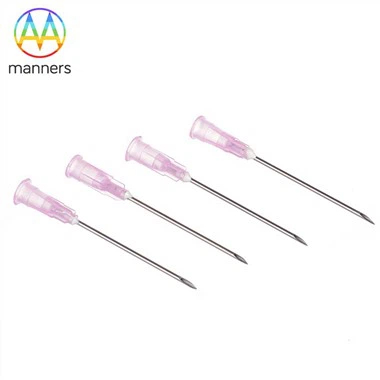
Adult lumbar puncture needle simulator
Dec 28, 2021
one. Instructions:
(Note: 1. Liquid has been injected from the injection port on the left side of the back of the model before leaving the factory to fill the pleural puncture reservoir and lumbar puncture reservoir with liquid on both sides. The right side of the back of the model is the drainage port. The user should do so by himself During operation, first remove the chest skin, open the screw cap on the liquid injection port on the left side of the back, and find the liquid injection port and inject 1400ml of pure water liquid. Do not inject more liquid, try to protect the liquid storage bag, and then tighten the screw with a screwdriver. Cap and close the injection port tightly to prevent the injection port from leaking. Please do not pull out the needle after each successful puncture withdrawing the liquid. You should re-inject the liquid into the model and keep the amount of liquid constant, so as to ensure a constant amount of liquid after repeated puncturing. , Can be used continuously. If you need to prepare blood simulation fluid, it is recommended to use simulated blood meal 4g plus 100ml water configuration. 2. Please connect the power before the model operation training. Install the controller on the left thigh of the model, and use the power adapter to connect to the AC power supply It can be converted to DC power supply. A battery box is installed at the base of the right thigh of the model to supply DC power. A screwdriver can be used to open the sign and battery box and replace 4 AA batteries).
1. ZH/L260 electronic function manual:
⑴ Controller control panel
l Welcome to use puncture skills training simulator, training mode, please choose puncture technique.
⑵ Remote control:
l A "thoracic puncture" button, playing "pleural puncture" in exam mode means selecting this puncture for operation, and playing pleural puncture operation method in training mode and selecting this puncture for operation.
Operation method voice: "Pleural puncture: adjust the manikin to sit forward and choose the puncture position, generally choose the 7th and 8th intercostals of the scapular line, the 7th and 8th intercostals of the posterior axillary line, and the 6th and 7th midaxillary line of the Intercostal or the fifth intercostal space of the anterior axillary line. Routinely disinfect the skin, wear sterile gloves, and cover with a sterile hole towel; use 2% lidocaine to infiltrate the upper edge of the next rib from the skin to the pleural wall for local infiltration anesthesia; apply the puncture needle Slowly and vertically pierce into the anesthesia area. When the needle resistance suddenly disappears, connect the syringe and suck out the liquid; after the operation, pull out the puncture needle and cover it with sterile gauze."
l B "Lumbar puncture" button, playing "Lumbar puncture" in exam mode means selecting this puncture for operation, and playing the operation method of lumbar puncture in training mode and selecting this puncture for operation.
Voice of operation method: "Lumbar puncture: Adjust the simulated patient to a lateral position to bend the trunk as much as possible. The puncture point can choose the 3rd and 4th lumbar spinous process space. Conventional disinfection drape, 2% lidocaine from the skin to the intervertebral The ligament is locally anesthetized layer by layer; the left hand fixes the skin and the right hand holds the puncture needle. At the midpoint of the spinous process, the needle tip is perpendicular to the back and slowly pierces in the direction of the head. Adults enter the needle 4-150px, when the needle passes through the yellow When the ligament occurs, the resistance suddenly disappears and the "failure" feels. When continuing to penetrate the dura mater and arachnoid into the subarachnoid space, there is often a second "failure" feeling. At this time, the puncture needle core is slowly withdrawn. The cerebrospinal fluid can be seen flowing out. Collect 2-5ml of cerebrospinal fluid and send it for inspection. After the operation, insert the needle core and pull out the puncture needle together and cover it with sterile gauze."
l C "Mode" key to alternately select test mode and training mode
Voice: "Training mode, please select puncture technique", "Exam mode, please select puncture technique."
l D "Sound" key to stop the voice being played.
⑶System function:
l After starting up, ZH/L260 puncture skills training simulator, training mode, please select puncture.
l After powering on, it will automatically power off after 10 minutes without any operation (remote control signal or puncture operation), and play a prompt tone.
l When the battery power is low, the system prompts "Battery power is low, please replace." after power on, and the power LED flashes and then power off.
l The LED flashes once every 3S during normal power supply. When a remote control signal or a puncture operation signal appears, the LED lights up for 1 second and then continues to flash.
⑷ Puncture operation:
l After power on or after the mode is selected by the "Mode" key, if the puncture site is not selected, if puncture (puncture the conductive adhesive sensor mechanism) is performed, the prompt "Pull out the puncture needle, please select puncture."
Please contact us if you need: zhang@sz-manners.com